
Convert bank statements into QuickBooks -ready files
Turn your CSV and Excel bank statements into QuickBooks Desktop-compatible files in just a few clicks. NioConvert automates the conversion process, helping you avoid manual transaction entry and get your accounting data ready faster.
Conversion made effortless
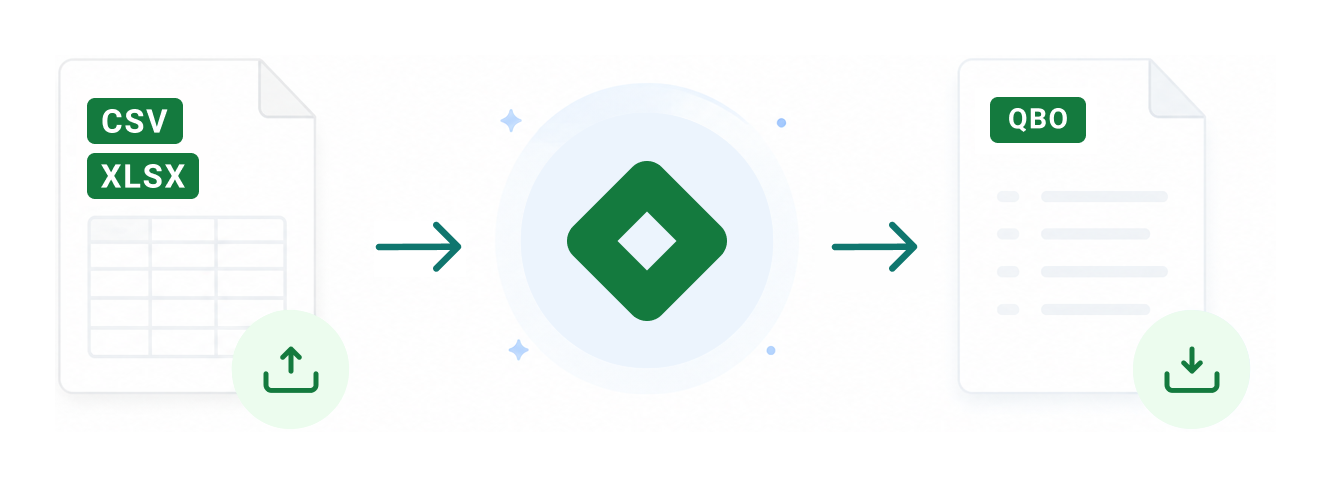
Simply upload your CSV or XLSX bank statement, and NioConvert will transform it into a QBO file. Once converted, download your file and import it directly through QuickBooks’ “Import Web Connect File” option.
No complicated setup. No manual formatting. No time-consuming corrections.
Works with thousands of financial institutions
NioConvert supports bank and credit card statements from institutions compatible with QuickBooks Desktop.
Browse our Supported Banks for a complete overview of supported financial institutions.





Save time with smarter conversions
Stop spending hours cleaning up transaction data. NioConvert converts months of banking activity in minutes while maintaining accurate formatting and reliable results.


Trusted by accounting professionals
Companies, bookkeepers, and accountants rely on NioConvert to simplify bank statement imports and reduce repetitive accounting work.
“NioConvert saved me a huge amount of time. The converted file imported into QuickBooks Desktop perfectly, and I didn’t need to make any adjustments afterward.”
“I tested several conversion tools before finding NioConvert. The speed and accuracy are excellent, and my transactions import correctly every time.”
“NioConvert worked flawlessly with my Canadian bank statements. It made preparing QuickBooks Desktop files much easier for my clients.”
FAQ
Got questions? We’ve answered the most common ones below so you can get started with NioConvert quickly and confidently.
What file types can I convert?
NioConvert currently supports CSV and XLSX bank statement files and converts them into QuickBooks Desktop QBO format.
Is my financial information protected?
Yes. Your files are handled securely using 256-bit SSL encryption. Bank statements are not permanently stored after the conversion process is completed.
Does NioConvert work with every bank?
NioConvert supports most major Canadian banks and many international financial institutions supported by QuickBooks Desktop. While compatibility depends on the statement format provided by each bank, most digital CSV and XLSX files should convert successfully.
Will my transactions be converted accurately?
Our conversion system is designed to preserve your transaction information and generate a properly formatted QBO file ready for QuickBooks Desktop import.
How long does the conversion take?
Most files are converted within seconds. Larger statements may take slightly longer depending on the amount of transaction data.
Can I convert multiple statements?
Yes. NioConvert supports multiple conversion options. You can purchase individual conversions or choose an unlimited plan for higher-volume needs.
Can I upload scanned bank statements?
No. NioConvert requires digital bank statements in CSV or XLSX format. Scanned documents, PDFs, and image files are not currently supported.
Convert your bank statements today
Get your financial data into QuickBooks Desktop faster with a secure, accurate, and automated conversion process.